
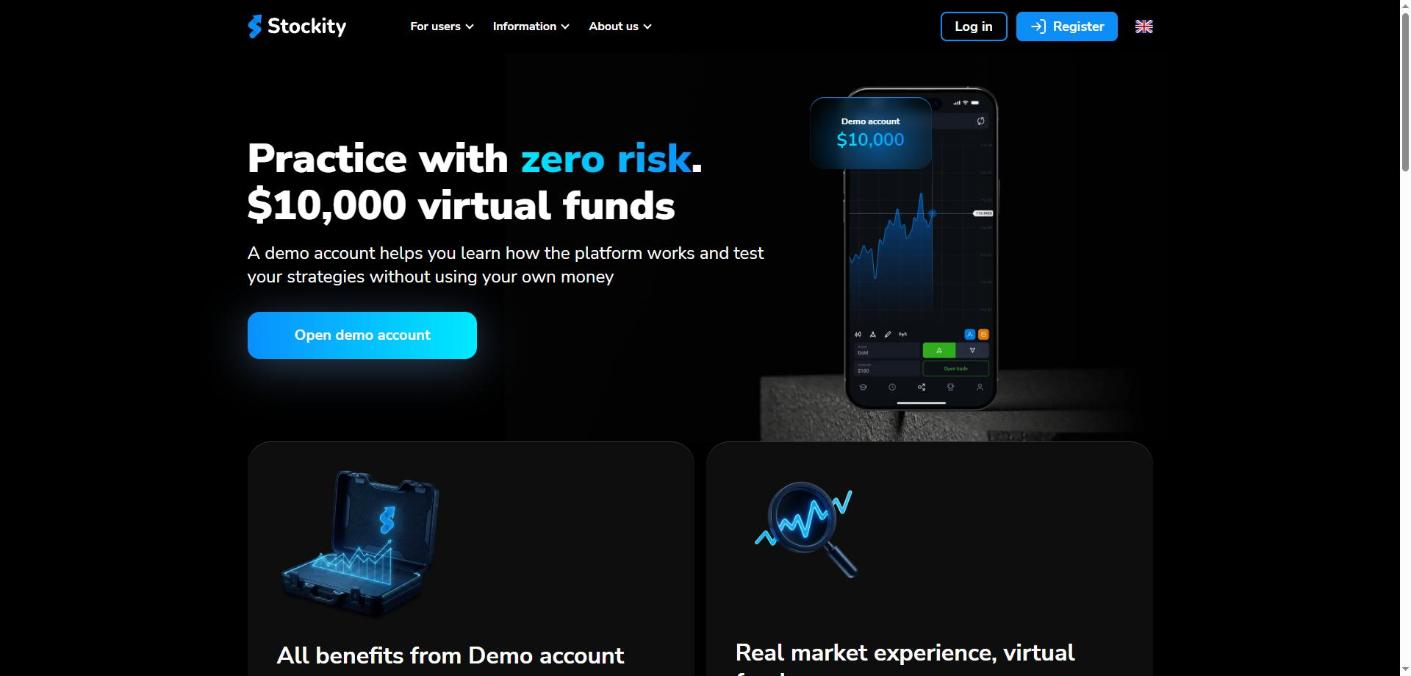
Most people who lose money on a trading platform lose it in the first week, before they understand what the buttons do. The Stockity demo account exists to make that first week free. It hands you $10,000 in virtual funds on the same screen, the same assets and the same price feed as a funded account, and the Stockity demo account costs nothing to open.
This guide covers what the Stockity demo account includes, exactly where it stops, and what changes the moment you switch to real money. Everything here was read from Stockity’s own published pages on 14 October 2026. We did not open an account, deposit funds or place a trade; the method is set out near the end. You can see the current platform for yourself on the official Stockity site.
What Is the Stockity Demo Account?
The Stockity demo account sits inside an online platform for short-term trades on the price of global assets — currency pairs, commodities, indices and shares. The Stockity demo account is the practice mode of that platform: a separate balance filled with virtual currency that behaves like money on screen but cannot leave the account.
Stockity’s own framing is blunt about the purpose: “A demo account helps you learn how the platform works and test your strategies without using your own money.” No deposit is required to use the Stockity demo account, and it is available as soon as you register an email and password.
That matters more here than on a typical broker, because of how trades actually work on this platform — covered further down.
What the Stockity Demo Account Gives You: $10,000 in Virtual Funds
The published feature list for the Stockity demo account is short and specific:
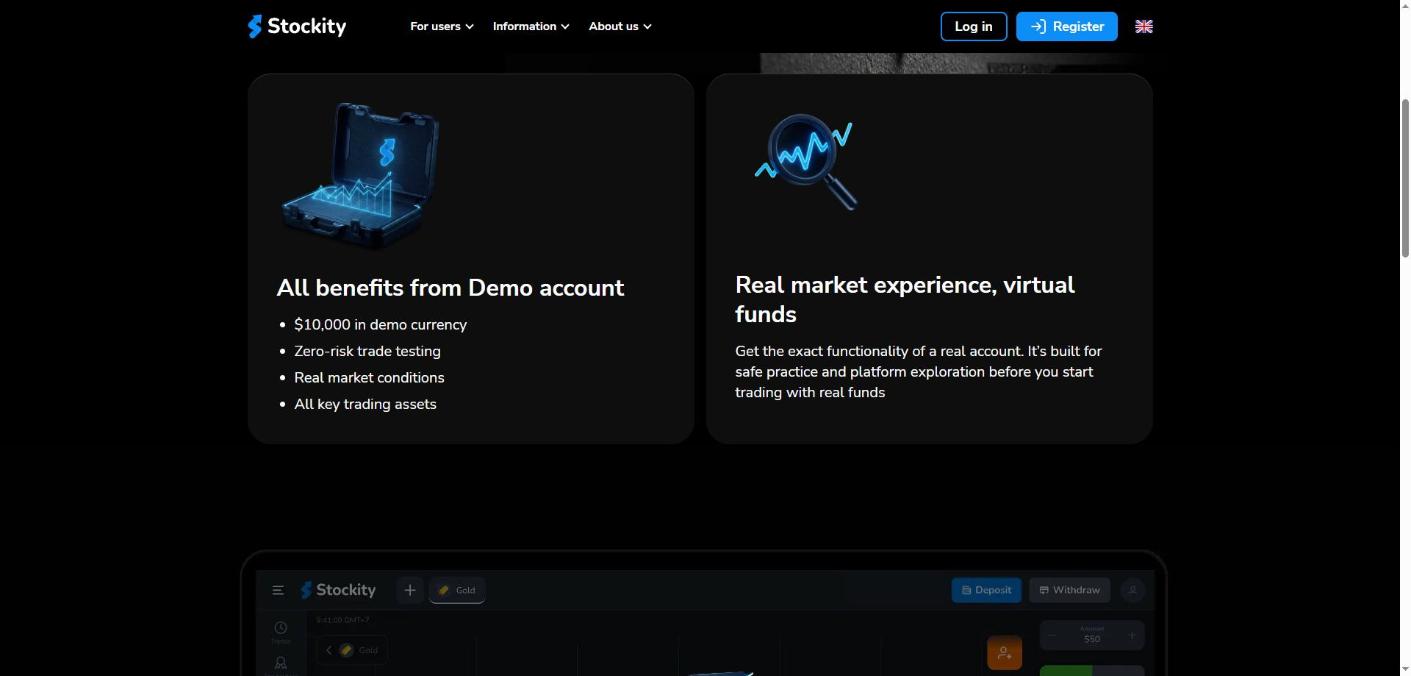
- $10,000 in demo currency credited to the practice balance
- Zero-risk trade testing — nothing in the account is your money
- Real market conditions — the same live price data the funded platform uses
- All key trading assets available to practise on
- No deposit needed to open or use it
Stockity describes the result as getting “the exact functionality of a real account”, built “for safe practice and platform exploration before you start trading with real funds”. That is a company claim about its own product, and it is the central reason to start here rather than with a deposit.
How the Stockity Demo Account Mirrors the Real Platform
The Stockity demo account is not a cut-down simulator on a separate site. It runs inside the same platform, which means the layout, the order ticket, the charting tools and the asset list you learn in practice mode are the ones you will use later.
Stockity publishes 140+ assets across its account tiers, and the Stockity demo account gives access to the key ones. The platform is reachable the same four ways in either mode: the web version, the Android app on Google Play, the iOS app on the App Store, and a direct Android APK download.
Practising in the same interface is the whole point of the Stockity demo account. A strategy that depends on reading a particular indicator, or on closing a position at a specific moment, is only meaningfully tested if the controls behave identically.
How to Switch Between the Stockity Demo Account and Real Money
Switching between the Stockity demo account and live mode is deliberately trivial, and worth knowing before you start so you never place a live trade by accident:
- Click your account balance at the top of the trading screen
- Select Real Account or Demo Account from the dropdown
- Toggle back and forth at any time
Stockity’s FAQ confirms there is no waiting period and no limit on switching. The flip side is that the two modes look nearly identical, so check which balance is active before every session.
What the Stockity Demo Account Cannot Do
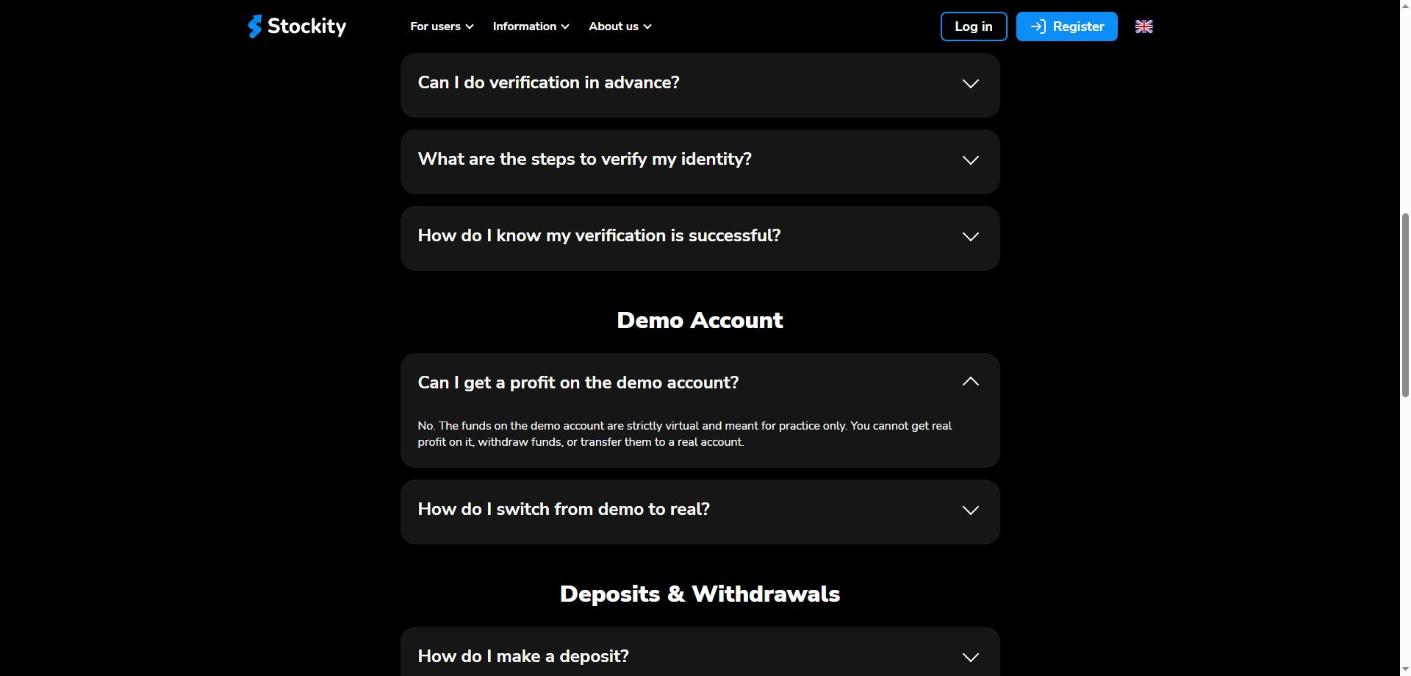
This is the part people get wrong about the Stockity demo account, and Stockity states it plainly in its FAQ. Asked whether a trader can profit on the demo, the answer is: “No. The funds on the demo account are strictly virtual and meant for practice only. You cannot get real profit on it, withdraw funds, or transfer them to a real account.”
In practical terms:
- Virtual gains stay virtual. A $10,000 balance that grows to $14,000 in demo converts to nothing.
- Nothing can be withdrawn from the practice balance.
- Nothing can be transferred into a funded account.
- It does not test your psychology. Risking virtual funds is not the same experience as risking rent money, and no demo on any platform solves that.
Treat the Stockity demo account as a flight simulator: it teaches the controls faithfully and tells you nothing about how you behave when the stakes are real.
How a Trade Actually Works on Stockity
Before funding anything, understand the product the Stockity demo account is practising on. Stockity’s FAQ describes opening a trade in four steps:
- Choose an asset — for example EUR/USD, Gold, or Apple stock
- Enter the amount you want to put into that specific trade
- Set the time at which the trade closes
- Make a prediction — click the green or red button depending on which way you think the price will go
This is a fixed-time, fixed-stake product rather than a conventional buy-and-hold position. The figure Stockity advertises as “profitability up to 83–85%” is the payout on a correct prediction, not an investment return. A prediction that goes the other way costs the amount staked on that trade.
Understanding that distinction is exactly what the Stockity demo account is for, and it is why the Stockity demo account comes first in the sensible order of operations. Stockity says the same thing in its own FAQ: “Use the demo account to test new strategies before applying them to real markets.”
From the Stockity Demo Account to Live Trading: Verification and Deposits
Moving from the Stockity demo account to real money introduces steps practice mode never asks for.
- You can trade before verifying. Stockity’s FAQ states you may open an account, deposit and start trading without immediate verification.
- You cannot withdraw before verifying. Identity verification is mandatory to withdraw, and to unlock all platform features.
- You cannot verify in advance. Stockity confirms this: the system prompts for verification only once you reach a certain trading volume or request a withdrawal.
- Verification means documents — a clear photo of an ID plus valid proof of address, uploaded in profile settings, with an email notification once approved.
- Deposits are mostly instant, with bank transfers slower depending on the bank.
- Withdrawals: Stockity says it processes “most withdrawal requests within 24 hours”, with the headline speed depending on account status.
Stockity does not publish a minimum deposit figure on its public pages — the FAQ says only that a minimum deposit is required to trade live. Plan for the verification step while you are still on the Stockity demo account, rather than discovering it at the moment you want your money out.
Account Statuses: What Changes After the Stockity Demo Account
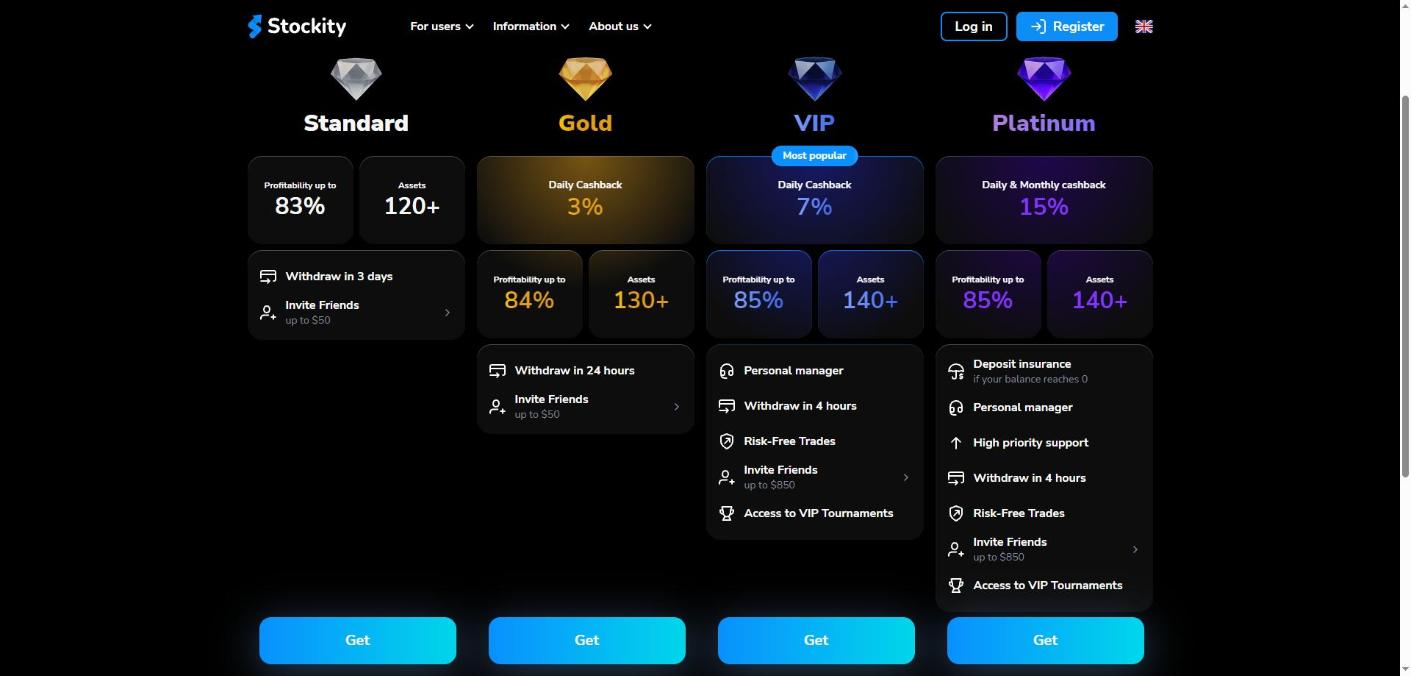
The Stockity demo account is the same for everyone. Funded accounts are not. Stockity publishes four tiers:
- Standard — payout up to 83%, 120+ assets, withdrawals in 3 days, referral bonus up to $50
- Gold — daily cashback 3%, payout up to 84%, 130+ assets, withdrawals in 24 hours
- VIP — daily cashback 7%, payout up to 85%, 140+ assets, withdrawals in 4 hours, personal manager, risk-free trades, VIP tournaments, referral up to $850
- Platinum — daily and monthly cashback 15%, payout up to 85%, 140+ assets, deposit insurance if your balance reaches 0, high-priority support, withdrawals in 4 hours
Stockity does not publish the deposit thresholds that unlock each tier on these pages.
Licensing, Oversight and What Stockity Publishes
This section is here because it should change how much of your own money you put behind the practice. Reported exactly as published:
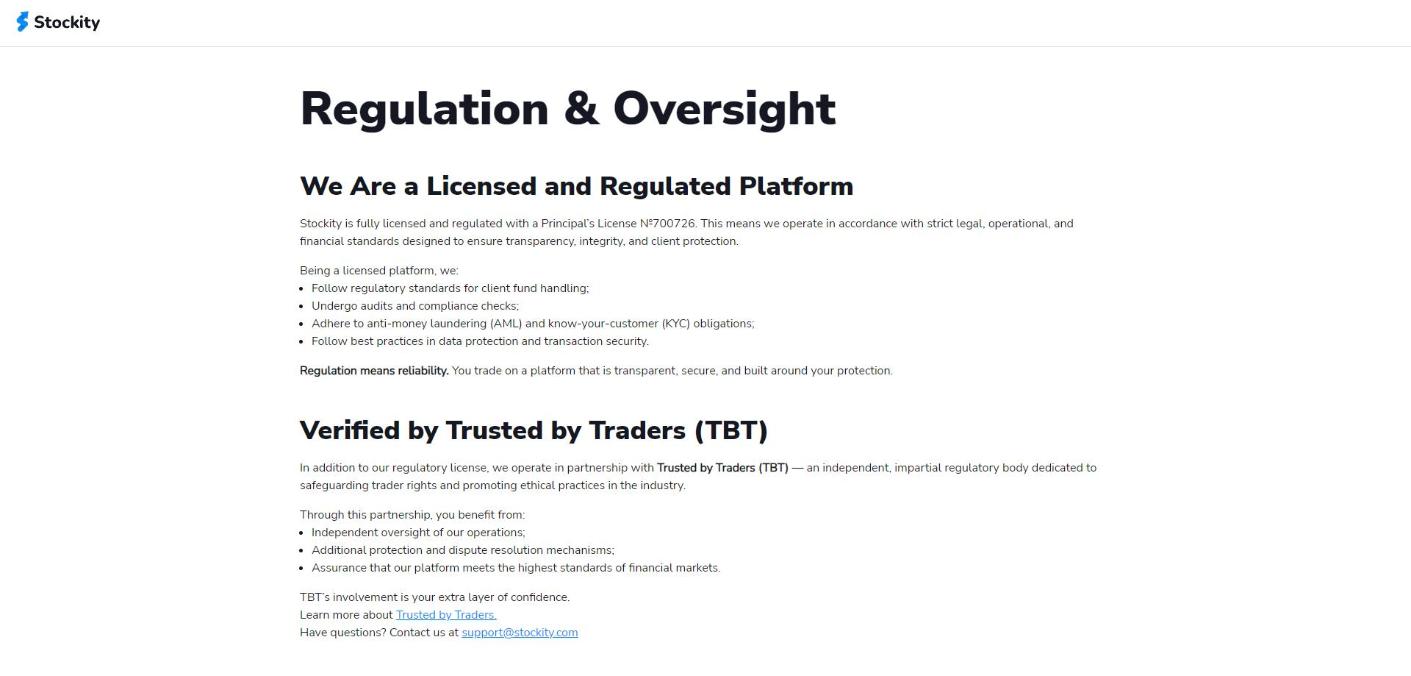
- Stockity states it is “fully licensed and regulated with a Principal’s License №700726“. The page does not name any authority that issued that licence, and does not state a country of licensing.
- A company is named, but only in the site footer rather than on the Regulation page: VERTE SECURITIES LIMITED, International Business Centre, Suite 8, Pot 820/104, Route Elluk, Port Vila, Vanuatu, with Reg.No. 700726. Note that this registration number is the same number the Regulation page presents as a “Principal’s License”. Both statements are published by Stockity; we report them side by side rather than choosing between them. The Regulation page itself carries no company name, and the only contact published anywhere is support@stockity.com.
- Stockity says it operates “in partnership with Trusted by Traders (TBT) — an independent, impartial regulatory body”. TBT’s own site describes monitoring platform compliance and handling disputes, but states no government authority, legal mandate or licence of its own, and does not say who owns or runs it. We are reporting what each party publishes, not ruling on TBT’s status.
- Stockity says it follows regulatory standards for client fund handling, undergoes audits and compliance checks, and applies AML and KYC obligations.
If you want to check independently whether a platform has been flagged by a national regulator, the securities regulators’ own alert database is public: the IOSCO International Securities & Commodities Alerts Network lets you search warnings by country, regulator and firm name. That is the check worth running while the Stockity demo account is still costing you nothing — and it is free, which makes it a natural companion to a free demo.
Risk Warning and Restricted Countries
Stockity’s own risk warning appears on every page, and it is worth quoting rather than paraphrasing: “Stockity provides services only to adult users. Online trading may involve significant financial risks including the risk of losing all funds on your trading account. Please, estimate all the risks and get advice from an independent financial advisor before using Stockity services. We also recommend not to invest funds you can’t afford.” The footer adds that Stockity “isn’t responsible for any losses (direct, indirect, or consequential) resulting from the actions of a client on the platform.”
On restricted countries, there is nothing to report because nothing is published. The Client Agreement and the Copy Trading Agreement are linked from the site but return a blank page to a logged-out visitor, so any list of excluded jurisdictions sits behind registration. Check your own country’s rules on fixed-time trading products before you register on the Stockity platform, and read the Client Agreement once you can see it.
Nothing in this article is financial advice, and we are not financial advisers. Stockity itself recommends speaking to an independent one.
How This Review Was Done
We did not register, verify, deposit, withdraw or place a single trade on Stockity. This is a desk review built from Stockity’s own published material, read on 14 October 2026: the homepage, the demo account page, the Statuses page, the Regulation page, the About page and the public FAQ, plus the Trusted by Traders website. User numbers, asset counts, payout percentages and the 4.8 rating shown on the homepage are figures Stockity publishes about itself and are labelled as such throughout. Where a document was not accessible to a logged-out visitor, we say so rather than guessing. Customer testimonials on Stockity’s homepage carry first names and countries; we have not reproduced them.
Correction: an earlier version of this article stated that Stockity publishes no company name or registered address. That was wrong. The site footer names VERTE SECURITIES LIMITED, Port Vila, Vanuatu, Reg.No. 700726. The licensing section above has been corrected.
Stockity Demo Account FAQ
Is the Stockity demo account free? Yes. No deposit is required, and it opens with $10,000 in virtual funds as soon as you register.
Can I withdraw profits from the Stockity demo account? No. Stockity states the funds are strictly virtual — they cannot be withdrawn, cannot be transferred to a real account, and cannot become real profit.
How do I switch from demo to real money? Click the account balance at the top of the trading screen and select Real Account. You can switch back at any time.
Does the Stockity demo account use real prices? Stockity describes the demo as running under “real market conditions” with the key trading assets available.
Do I need to verify my identity to use the demo? No. Verification becomes mandatory only when you want to withdraw from a funded account, and Stockity says it cannot be completed in advance.
How many assets can the Stockity demo account practise on? Stockity publishes 140+ assets in total, with the number available rising by account tier on funded accounts.
Can I use the Stockity demo account on mobile? The homepage links a Google Play app, an App Store app, a direct Android APK and a web version. Note that the FAQ entry headed “Do you have a mobile app?” answers something else entirely — it invites you to subscribe to emails — so take the download links as the accurate source.
Final Verdict on the Stockity Demo Account
As a way to learn a platform before risking anything, the Stockity demo account is well judged: $10,000 in virtual funds, no deposit, real market data, the full interface, and a one-click toggle back to practice mode whenever you want it. For a product where trades are fixed-time predictions that either pay out or lose the stake, having a free place to understand that mechanic is not a nice-to-have, and the Stockity demo account is that place.
Where we would hold back is everything the Stockity demo account cannot tell you. Stockity presents a number as a “Principal’s License” without naming any issuing authority, and publishes that same number in its footer as the Vanuatu company registration number of VERTE SECURITIES LIMITED. It also keeps its Client Agreement — including any list of restricted countries — behind registration. None of that affects the Stockity demo account, where no money is at stake; all of it is worth weighing after the Stockity demo account and before a deposit, alongside a search of the regulator alert database linked above.
Our rating: 4.2 / 5. Start on the Stockity demo account, spend real time in it, and treat the decision to fund as a separate decision with its own homework. You can open a practice account from the official Stockity platform.


