
Most brokers ship a mobile app that is little more than a shrunken copy of their desktop terminal. XMTrading took a different route with the XMTD TraderPro app — a proprietary mobile platform built from scratch for traders who manage positions from a phone rather than a trading desk. This 2026 guide walks through what the app does, the trading conditions behind it, how to install it, and who gets the most out of it.
What Is the XMTD TraderPro App?
XMTD TraderPro is XMTrading’s own mobile trading application, separate from the MetaTrader 4 and MetaTrader 5 terminals the broker also supports. Rather than licensing a third-party platform and skinning it, XMTrading built an in-house app so the account, the funding flow and the trading screen all live behind a single login.
One practical detail to get out of the way first: the app is currently available on Android only. iOS users still have MetaTrader 4 and MetaTrader 5 mobile, which remain fully supported, but the TraderPro experience described here is an Android-first product. Knowing that upfront saves anyone a wasted download.
The upside of the in-house approach is coherence. Your profile, your order history, your instruments and your notifications sit in one place, and XMTrading can ship features on its own schedule instead of waiting for a platform vendor. Open an XMTrading account and the same credentials unlock the app directly.
XMTD TraderPro Features at a Glance
XMTrading groups the app’s capabilities into six pillars. Together they cover the full loop a mobile trader actually runs through in a session: see the market, act on it, get told when something moves, and review what happened.
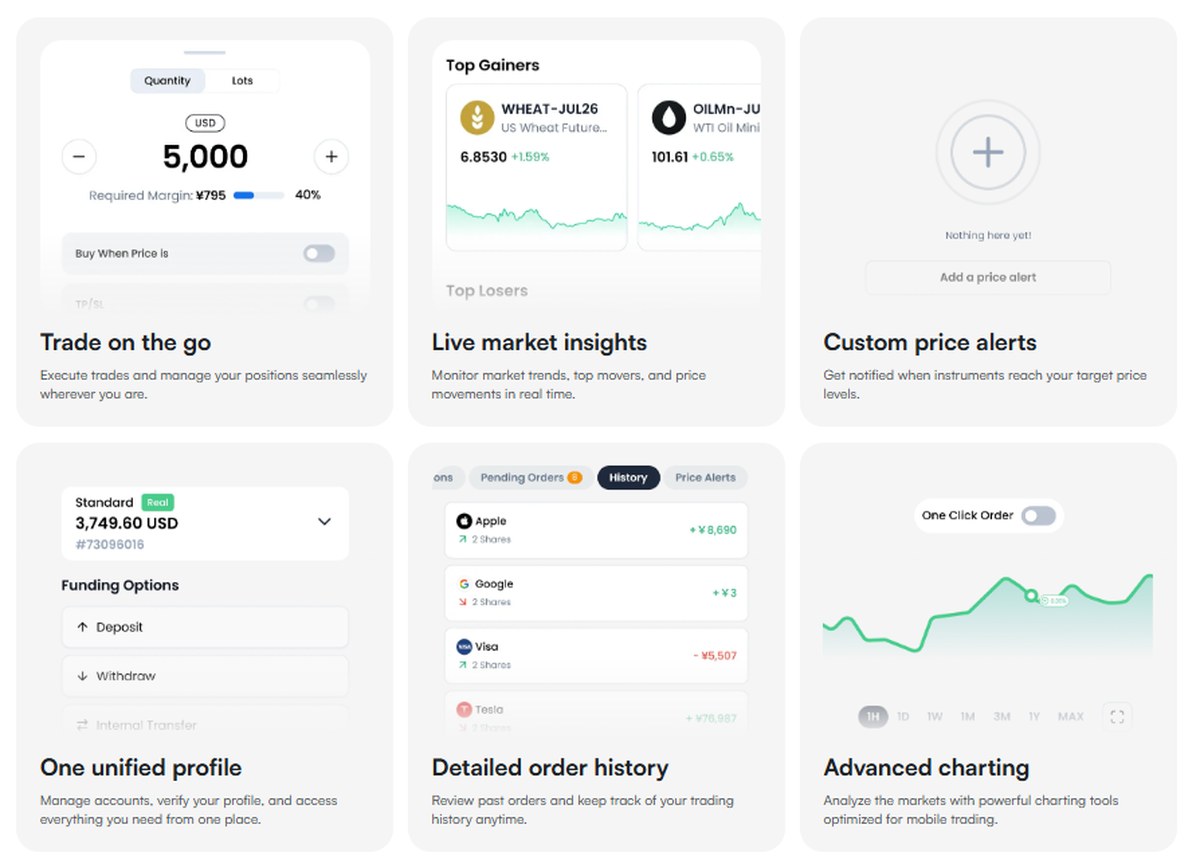
- Trade on the go — open, modify and close positions from the phone.
- Live market insights — real-time pricing and market context inside the app.
- Custom price alerts — notifications set to your own levels.
- One unified profile — a single account identity across XMTrading products.
- Detailed order history — a full record of executed and closed orders.
- Advanced charting — analysis tools built for a touchscreen rather than ported to one.
Trade on the Go Without a Desktop
The headline feature is the simplest one, and it is the reason the app exists. Position management — entries, modifications, partial closes, stop and limit adjustments — happens entirely on the handset. For a trader who watches a few setups across the day rather than scalping continuously, that removes the requirement to be near a laptop when a level finally gets hit.
This matters more than it sounds. The cost of a missed adjustment is not just the trade in front of you; it is the pressure to sit at a screen longer than your routine actually needs. A competent mobile terminal buys back that time.
Live Market Insights and Custom Price Alerts
Real-time pricing is table stakes, but the pairing of live insights with custom alerts is what makes the app usable as a background tool. You define the level, the app watches it, and your phone tells you when the market arrives. You are not scrolling a watchlist waiting for something to happen.
Used well, alerts turn a mobile app from a distraction into a filter. Set them at the levels that would actually change your decision, ignore the phone in between, and open the app only when it asks for you. That is a healthier and more disciplined way to trade from mobile than watching ticks.
Advanced Charting and Detailed Order History
Charting on a phone is where most broker apps quietly give up, offering three timeframes and a moving average. XMTD TraderPro lists advanced charting as a core pillar, which puts technical analysis on the handset rather than forcing a round trip to a desktop terminal every time you want to mark up a structure.
Detailed order history covers the other half of the job. A complete, reviewable record of what you executed and when is the raw material for any honest performance review. Traders who journal will find the export-and-review habit far easier when the history lives in the same app as the execution.
One Unified Profile Across XMTrading Products
The unified profile is the feature that most clearly shows the benefit of an in-house build. One identity spans your trading accounts, your funding and your platform access — so switching between a Standard and a KIWAMI account, or checking a deposit, does not mean logging into a different system with different credentials.
For anyone running more than one account type, that consolidation is a genuine daily saving. Register with XMTrading once and the profile carries across the broker’s products.
Trading Conditions Inside XMTD TraderPro
An app is only as good as the market access behind it. XMTrading puts three numbers on the TraderPro page, and they are the ones that decide whether the platform is worth installing.
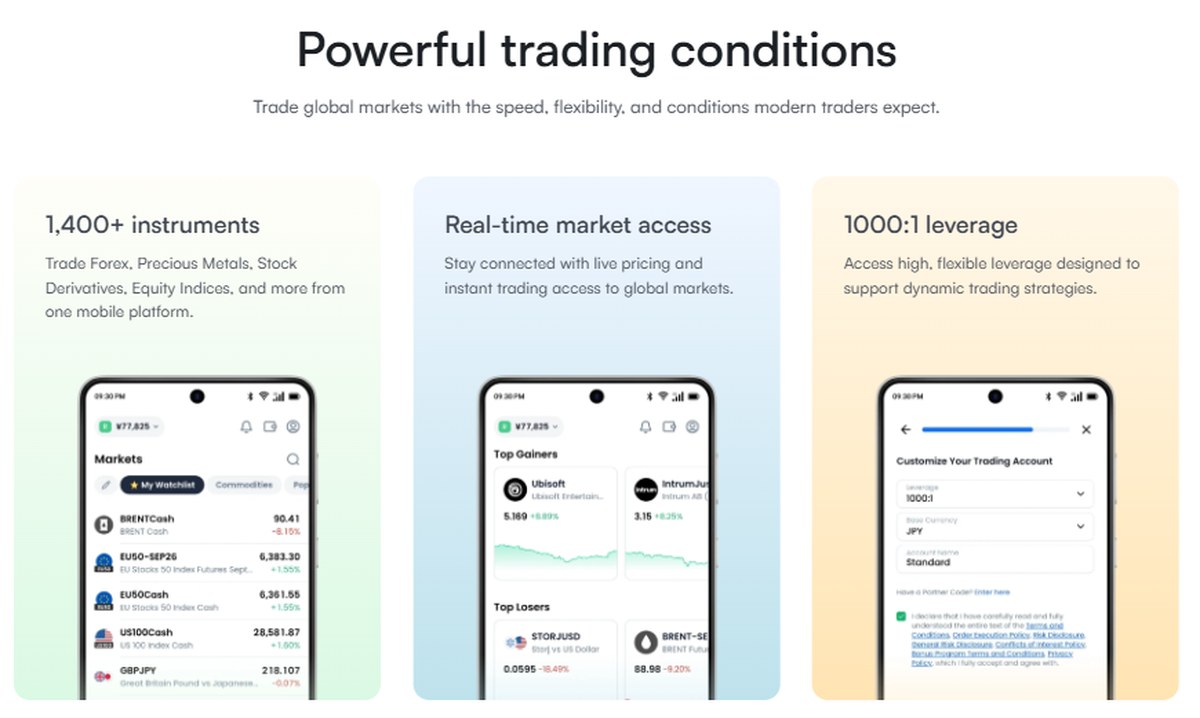
- 1,400+ instruments available to trade.
- Real-time market access across those instruments.
- Leverage up to 1000:1 on eligible accounts.
The instrument count is the standout. A mobile app with a fourteen-hundred-strong catalogue is not a companion tool for a handful of majors — it is a full trading venue that happens to run on a phone. The minimum initial deposit at XMTrading is $5, so the barrier to testing the app with live conditions rather than a demo is genuinely low.
Leverage of 1000:1 deserves a plain-spoken note rather than a headline. High leverage magnifies losses exactly as fast as it magnifies gains, and the correct use of it for most traders is to size positions conservatively and treat the ceiling as an option they rarely approach.
How to Install the XMTD TraderPro App
Because the app is distributed as an APK rather than through a store listing, installation takes five steps instead of one tap. None of them are difficult, but the third one trips people up if they are not expecting it.
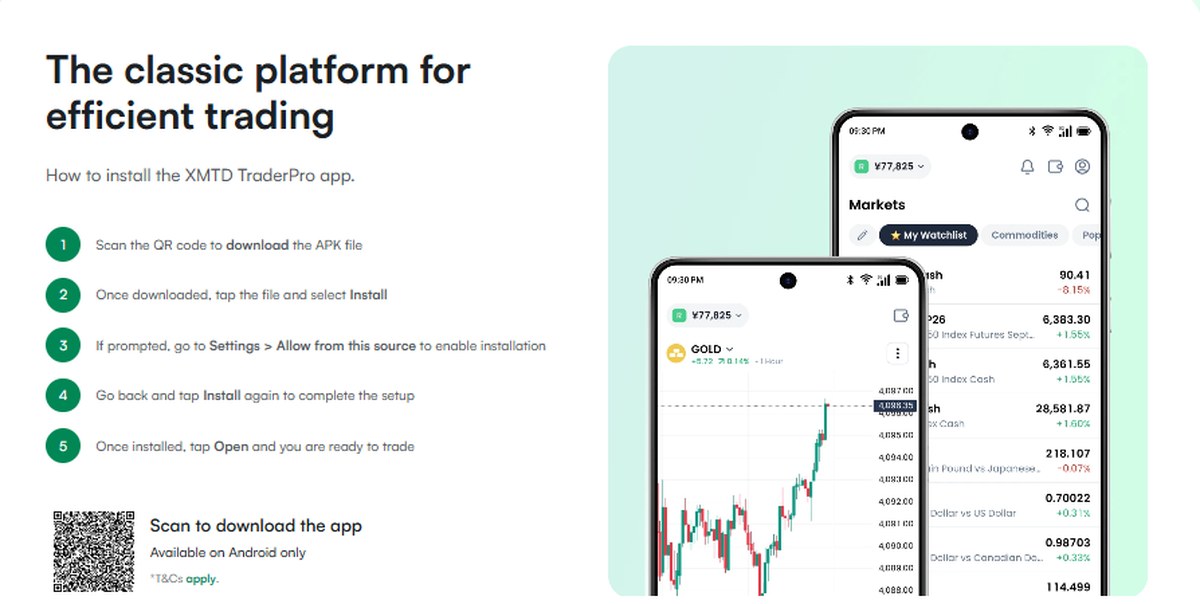
- Scan the QR code on the XMTrading download page with your Android device.
- Tap the downloaded file to begin installation.
- When prompted, go to Settings > Allow from this source and enable it.
- Confirm the install.
- Open the app and sign in with your XMTrading credentials.
Step three is Android’s standard protection against sideloaded software, not an XMTrading quirk. Enable it only for the download you are actually installing, and always start the process from the broker’s own page rather than a link forwarded to you — that single habit removes almost all of the risk of installing an APK. Go to the official XMTrading site to get the genuine download.
Security and Support in XMTD TraderPro
Two protections are built into the app itself, and they are the ones that matter most on a device that lives in a pocket.
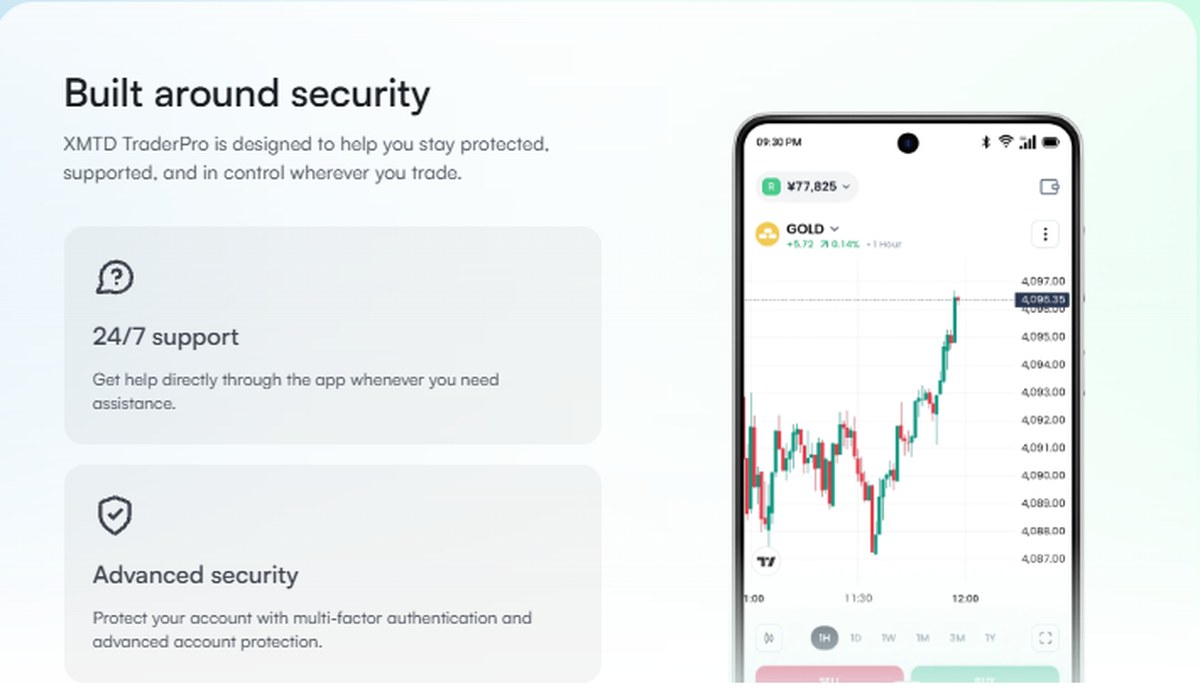
Multi-factor authentication means a stolen password alone does not open your account. For a trading app on a phone that can be lost or left unlocked, MFA is the difference between an inconvenience and a disaster, and it is worth enabling the moment you finish the install.
24/7 in-app support covers the other failure mode. Markets do not keep office hours, and a funding question or a platform issue at 3am is exactly when help is hardest to reach. Support living inside the app rather than behind an email form is a meaningful practical advantage.
XMTD TraderPro vs MetaTrader 4 and MetaTrader 5
XMTrading has not replaced MetaTrader; it has added an alternative. The honest comparison looks like this:
- Choose XMTD TraderPro if you trade primarily from an Android phone, want the unified profile, and value alerts and a modern touch interface over a decades-old terminal layout.
- Choose MetaTrader 4 or 5 if you rely on Expert Advisors, custom indicators, a specific MQL toolset, or if you are on iOS.
There is no need to pick permanently. The same XMTrading account works across all three, so running TraderPro on the phone and MetaTrader on the desktop is a perfectly reasonable setup — and arguably the best of both.
Who the XMTD TraderPro App Suits Best
The app fits three profiles particularly well. Mobile-first traders who genuinely run their book from a phone get a purpose-built tool rather than a compromise. Newer traders benefit from the low $5 entry point and an interface designed this decade instead of one that assumes prior MetaTrader familiarity. And multi-account holders get the unified profile, which quietly removes friction every single day.
Traders who lean heavily on automation are the clear exception — that workflow still belongs in MetaTrader. Compare XMTrading account types before deciding which platform pairing suits your style.
Regulation, Risk and Restricted Countries
XMTrading operates through entities regulated offshore, including Tradexfin Limited, authorised and regulated by the Financial Services Authority of Seychelles, alongside a Mauritius-licensed entity. You can verify a licence directly with the regulator at the Financial Services Authority Seychelles. Offshore regulation is legitimate supervision, but it is not equivalent to a tier-1 regime such as the FCA or ASIC — there is generally no statutory compensation scheme, and it is worth understanding that trade-off before you fund an account.
XMTrading does not accept clients from a number of jurisdictions, including the United States, and residents of several other countries are restricted. Check eligibility for your country of residence before registering.
Risk warning: trading forex and CFDs carries a high level of risk and can result in the loss of all of your invested capital. Leverage works in both directions. Only trade with money you can afford to lose, and seek independent advice if you are unsure.
Final Verdict on XMTD TraderPro
XMTD TraderPro is a stronger mobile offering than most brokers bother to build. Six well-chosen features, 1,400+ instruments, real-time access, multi-factor authentication and round-the-clock in-app support add up to a platform you can actually run an account from rather than merely monitor one. The $5 minimum makes trying it close to free in practical terms.
The one real limitation is the Android-only availability, which is a product fact rather than a flaw in what has been built — and iOS traders are not stranded, since MetaTrader 4 and 5 mobile remain available on the same account. For Android users who trade from a phone, the XMTD TraderPro app is well worth the five-minute install.


